
New York/New Jersey MetroStars
1996 - 1997
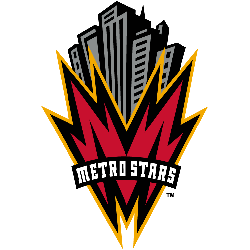
A red with a black and orange trim letter "M" shaped like a lightning bolts. Above the letter is a black and great NY cityscape and wordmark positioned on the letter "METROSTARS" in white.

New York/New Jersey MetroStars
1996 - 1997
A red with a black and orange trim letter "M" shaped like a lightning bolts. Above the letter is a black and great NY cityscape and wordmark positioned on the letter "METROSTARS" in white.
"Every Club Has a Story. Every Kit Tells It"
From the original '96 franchises to the newest expansion stars, MLS history is written in the colors of the community. Rep your club’s journey and wear the crest that defines your city’s legacy on the pitch.
Shop the Official MLS Collection


New York/New Jersey MetroStars Logo
The New York/New Jersey MetroStars logo first appeared in 1996 as a vibrant reflection of the tri-state area's energy. This original design featured a black skyscraper set against a red-and-black circle with "METROSTARS" written in a stylized font. It represented a bold move into the future of sports branding. However, the club soon refined its look to be more traditional. In 1998, the Metrostars logo moved toward the iconic black shield with five white stars and red stripes. This change aimed to better represent the unity between New York and New Jersey. You can learn more about these early milestones on the Team history page.
The NYNJ MetroStars identity reached its peak popularity in the early 2000s when the team adopted the "Taxi" striped kits. During this time, the Metrostars logo stood for strength and resilience at Giants Stadium. The five stars on the crest were meant to symbolize the five boroughs and the surrounding communities. While the team eventually rebranded to the New York Red Bulls in 2006, the original logos remain a staple for collectors and long-time fans. You can also see how team wordmark logo designs.
The New York/New Jersey MetroStars logo history is a reminder of the roots of professional soccer in the United States. Every version of the NYNJ MetroStars branding helped build a passionate fan base that still exists today. Even though the team has a new name, the classic Metrostars logo is often seen on "throwback" merchandise and at legacy nights. This visual journey shows a club that grew alongside Major League Soccer, leaving a permanent mark on the sport. It brings a sense of nostalgia and professional pride to the soccer history of the East Coast.